


Description
Download YouTube Downloader Suite – YouTube, Vimeo, Dailymotion, 3D, Converter, Offline Access
Overview
YouTube Downloader Suite provides a focused utility for users seeking to download video content from online platforms for offline viewing. The app functions as a digital tool designed to bypass internet dependency by enabling users to save videos locally. It supports multiple video sources, including YouTube, Vimeo, and Dailymotion, allowing access to diverse content across different ecosystems. This functionality is particularly useful for individuals who need reliable access to educational materials, entertainment, or instructional videos without constant connectivity. The target audience includes students, content creators, travelers, and anyone who values uninterrupted media consumption. While the developer's background is not publicly detailed, the app’s long-standing presence since its release on February 15, 2013, suggests consistent maintenance and user demand. Real-world use cases include saving tutorial series for study, archiving event footage, or compiling video clips for personal projects. In the broader mobile app ecosystem, YouTube Downloader Suite occupies a niche role as a productivity-enhancing tool for media management, offering a streamlined alternative to browser-based download methods. Its longevity indicates a stable user base and functional reliability, even in a landscape where platform policies frequently change.Key Features & Functionality
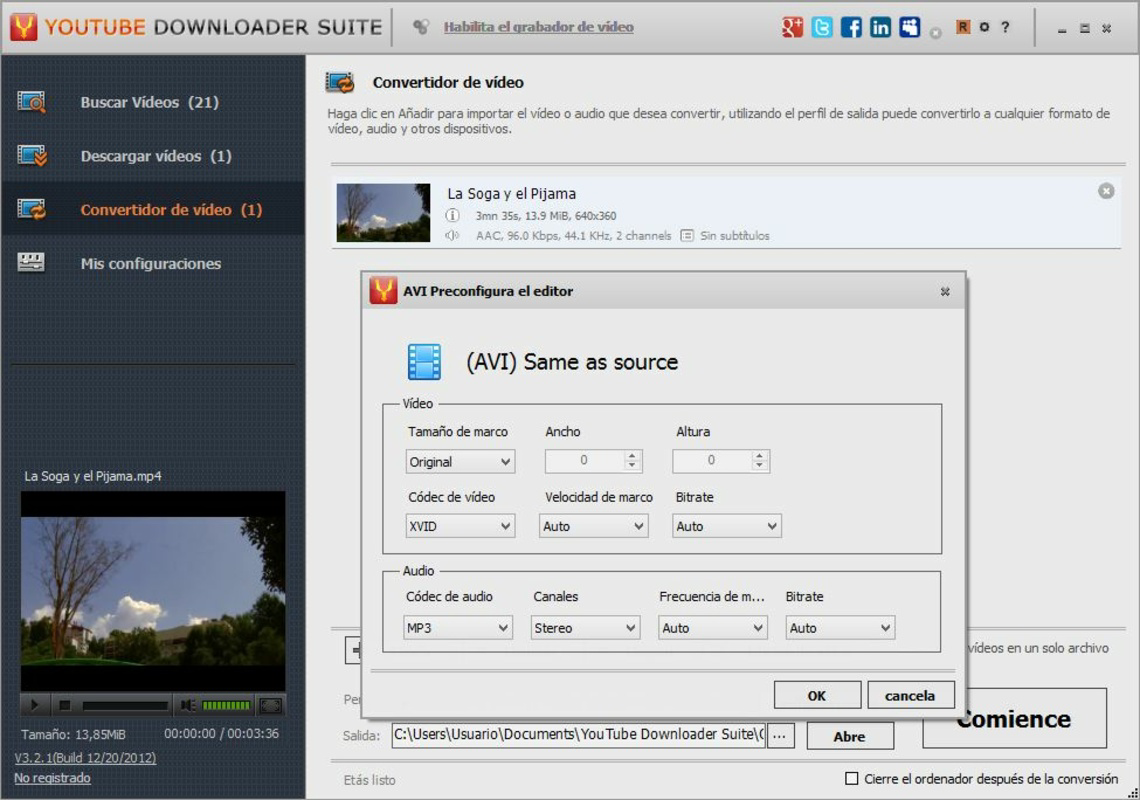
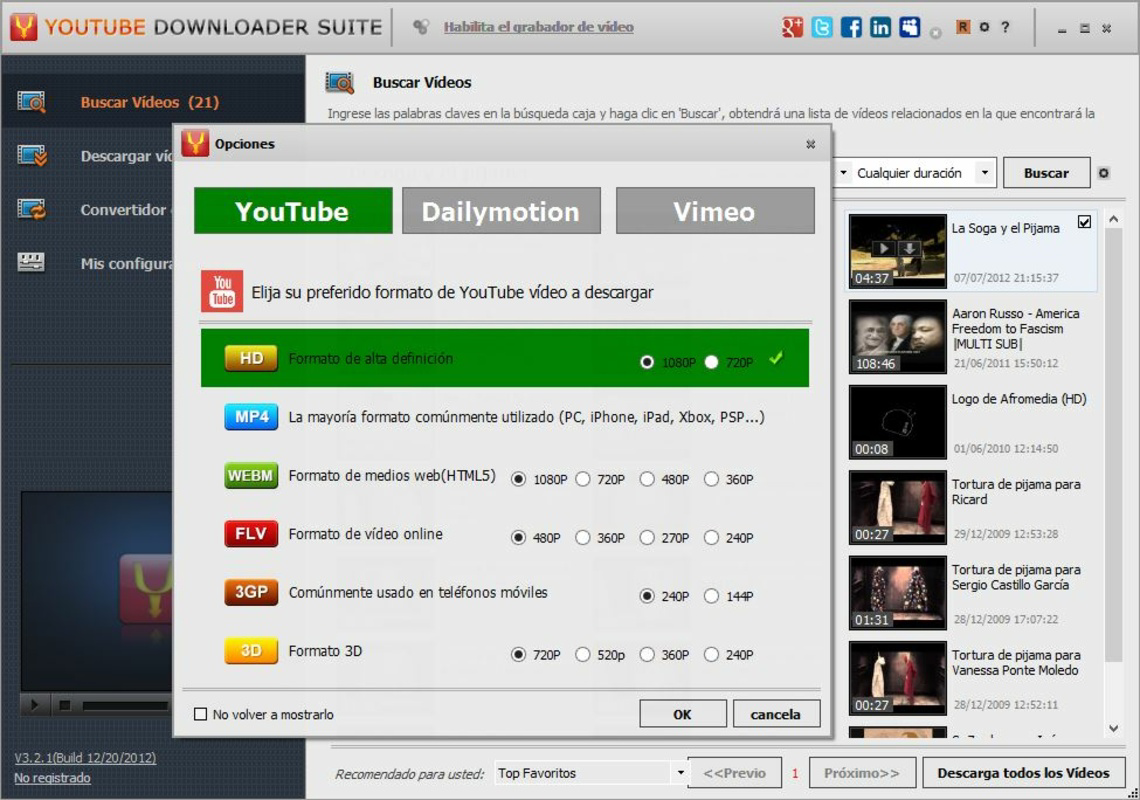
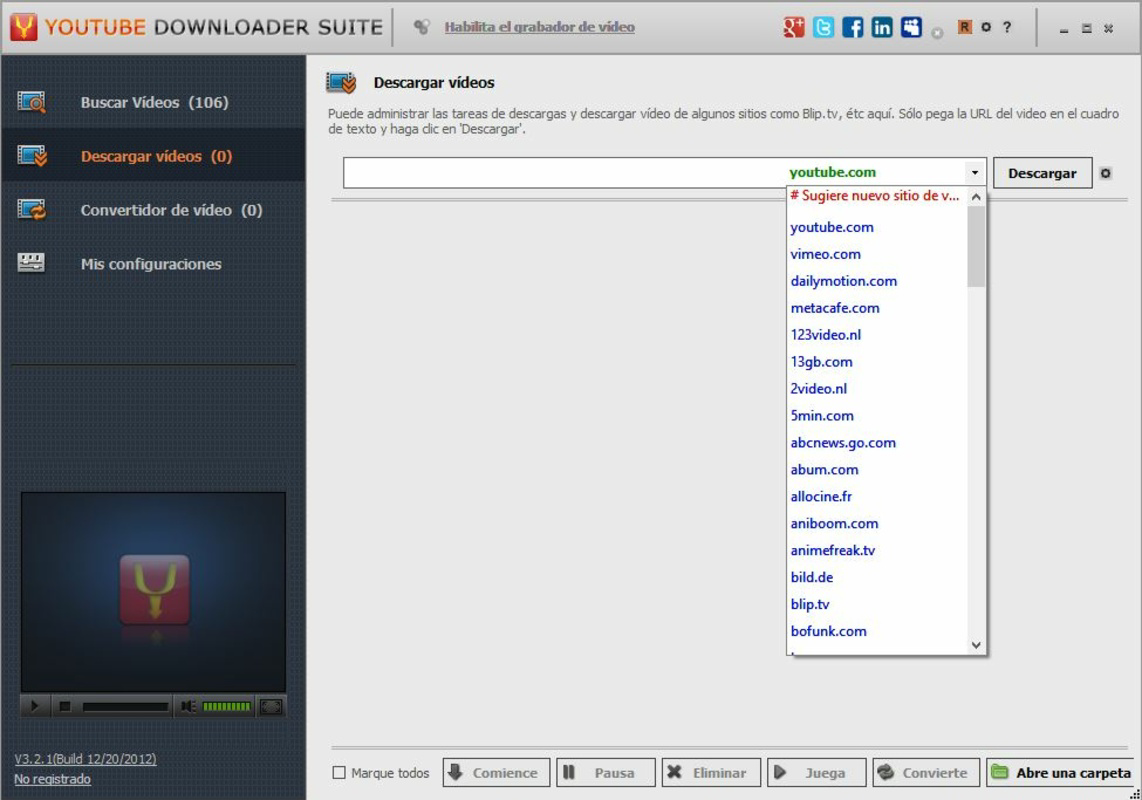
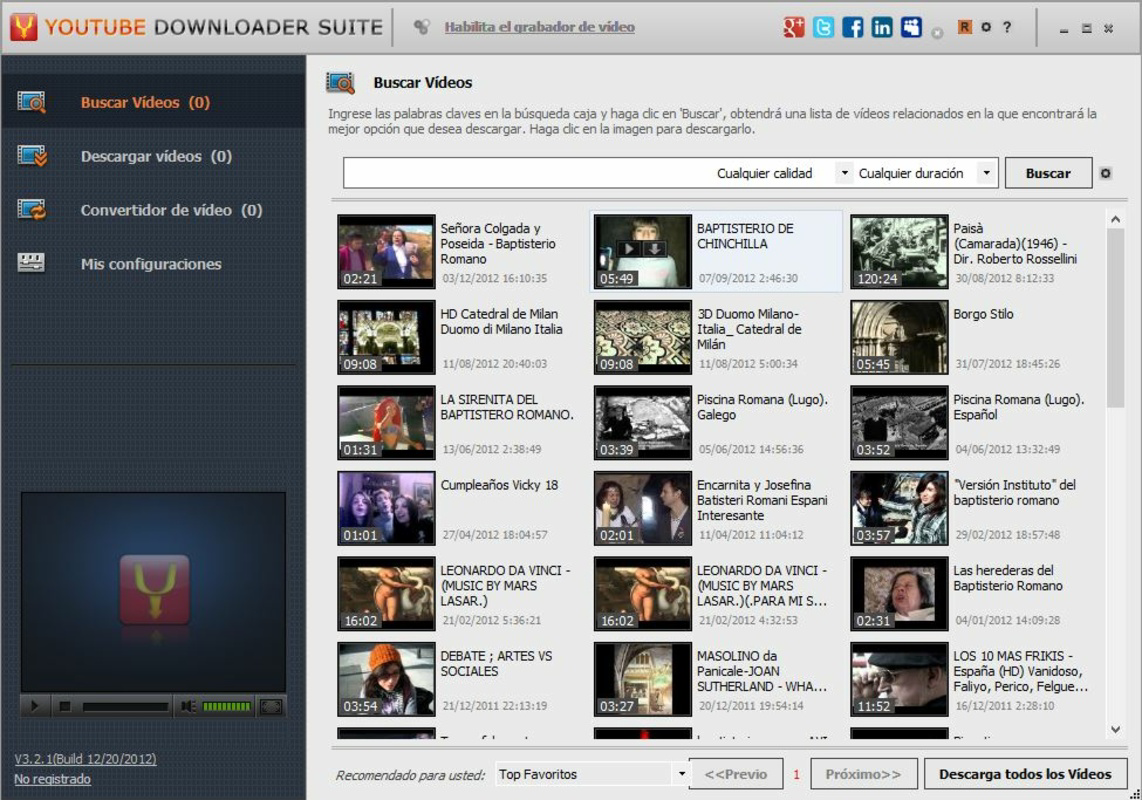
The app delivers a set of practical tools tailored to video downloading and post-processing. Users can initiate searches directly within the app, eliminating the need to open a browser and navigate to external sites. This built-in search functionality streamlines the process of locating content on supported platforms. Additionally, the app allows users to paste URLs directly, providing a fast alternative for those who already have a link. A key strength lies in its multi-platform support, enabling downloads from YouTube, Vimeo, and Dailymotion—three major video hosting services. This versatility enhances its utility for users who consume content across different websites. The app supports various video formats and quality levels, including 3D, which caters to advanced users seeking specific output configurations. The integrated video converter is particularly valuable, allowing users to merge multiple clips into a single file or convert existing local videos. This feature supports content curation, such as combining parts of a multi-episode series into one continuous video. These capabilities are beneficial for educators compiling lessons, travelers saving entertainment, or hobbyists organizing personal media libraries. Each feature is designed to improve efficiency and reduce the need for third-party tools.Practical Use Cases
- Students can download lecture videos for offline study during commutes or in low-connectivity areas.
- Content creators may use the app to archive reference material or compile footage for editing.
- Travelers can save entertainment content before long flights or remote trips.
- Individuals with limited data plans can avoid streaming costs by downloading videos in advance.
- Users can merge multiple video segments into one file for easier sharing or storage.
Interface, UX & Performance
The interface of YouTube Downloader Suite is described as user-friendly and intuitive, prioritizing accessibility for users with minimal technical experience. Navigation appears to be straightforward, with essential functions—search, URL input, format selection, and download management—presented in a clear layout. The visual design emphasizes functionality over aesthetics, focusing on ease of access rather than decorative elements. While specific details about responsiveness or performance under load are not provided, the app’s continued availability since 2013 suggests a level of stability. The developer did not list formal performance metrics, nor did they specify optimization for different device categories. However, the app’s long-term operation implies compatibility with a range of Android devices. Users can expect consistent behavior during standard use, such as searching, pasting links, and managing downloads. Although the developer did not specify minimum OS requirements, the app likely supports current Android versions given its sustained relevance. Overall, the user experience centers on simplicity and efficiency, minimizing friction in the download workflow.Platform Compatibility & Technical Requirements
YouTube Downloader Suite is available for Android, supporting the platform as specified. The app’s software version and file size are not disclosed in the provided information. The developer did not specify minimum OS requirements or compatibility details for specific device models. Similarly, no details were provided about required permissions, background processes, or storage needs. The app’s release date is confirmed as February 15, 2013, indicating a long-standing presence in the mobile ecosystem. While the developer did not list formal technical specifications, the app’s continued functionality suggests it operates within standard Android constraints. Users should ensure their devices meet general Android system requirements to install and run the app. The developer did not provide additional technical details, so compatibility may vary based on individual device configurations.Pros and Cons
- Supports multiple video platforms including YouTube, Vimeo, and Dailymotion.
- Offers direct in-app search and URL paste functionality for quick access.
- Provides multiple formats and quality options, including 3D video support.
- Includes a built-in video converter for merging and reformatting clips.
- Designed with a user-friendly interface suitable for non-technical users.
- Long-standing presence since 2013 indicates stable operation over time.
- Developer did not provide specific technical requirements or system compatibility details.
- File size and version information were not disclosed.
- Performance metrics and optimization for modern devices were not listed.
- Compatibility with newer Android versions is not confirmed.
- App may require third-party tools or additional setup for full functionality.
FAQ
Is YouTube Downloader Suite safe to download and use?
The app is available through official channels and has been in use since 2013. However, users should ensure they download from trusted sources to avoid modified or malicious versions.Can I download videos from YouTube using this app?
Yes, the app supports direct downloads from YouTube, along with other platforms like Vimeo and Dailymotion.Does the app support 3D video downloads?
Yes, the app offers support for downloading videos in 3D format, providing users with enhanced viewing options.How do I convert multiple video clips into one file?
The built-in video converter allows users to merge multiple clips into a single file, ideal for compiling series or long-form content.Is the app free to use?
The app’s pricing model was not specified. Users should check the official source for current pricing and availability.Final Thoughts
YouTube Downloader Suite stands out as a dedicated tool for users who need reliable offline access to video content across multiple platforms. Its combination of multi-source support, format flexibility, and a built-in converter makes it a practical choice for students, creators, and travelers. While technical details such as version, size, and compatibility are not fully disclosed, the app’s long history suggests consistent functionality and user trust. The intuitive interface ensures accessibility for all experience levels, reducing the learning curve. For those who value control over their media and seek to minimize reliance on internet connectivity, this app offers a compelling solution. Despite limited public information on specifications, its core features remain relevant in today’s mobile environment. Download YouTube Downloader Suite now.Guides & Tutorials for YouTube Downloader Suite
How to install YouTube Downloader Suite
- Click the Preview / Download button above.
- Once redirected, accept the terms and click Install.
- Wait for the YouTube Downloader Suite download to finish on your device.
How to use YouTube Downloader Suite
This software is primarily used for its core features described above. Open the app after installation to explore its capabilities.
User Reviews for YouTube Downloader Suite 0
No reviews found


